A store owner recently asked us to check their Google Ads account for click fraud. They were seeing a lot of clicks come to their site, but no conversions.
It turned out not to be click fraud, but simply using the wrong settings. The campaigns ran on Maximize Clicks, so Google did exactly what it was asked: send clicks.
That kind of mismatch is common. I went back through 122 account audits we recorded at Store Growers in the last 2 years. In 79 of them, the advertiser told us up front what they thought was wrong. In 50 of those, that issue wasn’t really what was wrong in the account.
Very often, it comes down to how the account was put together. Sometimes there is misguided thinking on what works, but more often than not, campaigns are added over time without much overall strategy. That can work for a while, but when things break, or you’re looking to scale, the order in which you build is a key to success.
This guide shows which campaigns an ecommerce store should run first, and what has to be true before you add the next campaign type.
The short version
Before you add a single campaign, make sure purchases are your only primary conversion action and make sure branded searches have their own campaign.
Then start with branded search and Standard Shopping, or a feed-only Performance Max campaign. That’s layer 1, and it’s where most stores should spend most of their budget.
If your Shopping campaign starts plateauing, add generic Search or expand your pMax campaigns to include other assets. That’s layer 2.
Top of the funnel, Demand Gen campaigns come last, once layers 1 and 2 make money. This is a hard layer to crack. And if I’m honest, most stores can spend this budget more effectively outside of the Google ecosystem.
Is Google Ads worth it for your store?
Google Ads is worth it for a store when one sale pays for product as well as the clicks it took to get it, and when you can keep paying while Google learns which products and searches convert.
That has more to do with your store than with your campaigns. I’ve seen two stores run the same campaigns on the same budget and get opposite results. One made money despite a messy account. The other lost money on every click with a near-perfect setup (it was my own).
Your margin sets the bar
Your break-even ROAS is 1 divided by your margin: at a 40% margin, you break even at a ROAS of 250%.
Here is a quick overview of what your break-even ROAS is depending on your margin:
| margin | → break-even ROAS |
| 20% | → 500% |
| 30% | → 333% |
| 40% | → 250% |
| 50% | → 200% |
| 60% | → 167% |
Use your net margin that’s left after product cost and everything it takes to get the order out the door, not the margin on your price list.
If the break-even ROAS for your products looks out of reach, start there.
If you have a low average order value, you can raise prices, create bundles, or put your budget behind the products with better margins.
Know which products to advertise
Before you pay for clicks, you should know which products people already buy from you, and why. Those are the products you advertise first.
A product nobody searches for won’t turn into a bestseller because you put it in a Shopping campaign.
Understand what needs to happen after the first sale
A first order that only breaks even can still be worth it if that customer comes back. Email capture, abandoned cart emails, a welcome flow and a reason to buy again all raise what a click is worth to you.
Stores with repeat buyers can accept a lower ROAS on the first order. Stores that sell one-off products can’t.
How much budget you need to start
Give each campaign a daily budget of at least one target CPA. With a target CPA of $40, that’s $40 a day. Below that, Google gets less than one conversion a day to learn from.
If that’s more than you can spend, cut the number of products, not the budget per product. Don’t run 200 products at $5 a day. Because if you do that, each product will get a few clicks and after a month you’ll still have no idea whether Google Ads can work for your store.
Don’t expect a profit in the first month either. The first month does give you an idea about product popularity and a rough ballpark on CPAs or ROAS targets.
Worth testing now, or wait?
Google Ads is worth testing if:
- your margin gives you a break-even ROAS your products can realistically reach
- people already search for what you sell, or for your brand
- your conversion tracking records purchases correctly (see the next section)
- you can afford to fund roughly one conversion a day per campaign for two to three months
Wait if:
- you’d need a ROAS far above what similar stores get just to break even
- your product is so new that nobody searches for it yet. In that case, demand creation (layer 3) may have to come first, which is the exception to the order in this guide.
What needs to be in place before you run any campaign?
Before you add a single campaign, Google needs to know what a sale is, and you need to decide which sales you’re after. In our audits, tracking was the first thing to fix in 22% of accounts, and only structure came up as the top priority more often.
Count purchases, and only purchases
Purchases should be your only primary conversion action, especially starting out. In 27 of the 122 accounts we audited at Store Growers, page views, add to carts or checkouts counted as primary conversions. Google then optimises for people who browse but don’t buy.
Keep add to carts and checkouts as secondary conversions. You still see them in your reports, but Google doesn’t bid on them.

Check that every purchase is tracked once
More than half of the accounts in the report (66 of 122) had a conversion tracking issue. In 16 of them, the tracking or bidding setup made every optimisation pointless.
The problems that came up most were purchases counted twice and purchases that never reached Google Ads at all. In one account, the store had moved its tracking to a third party attribution pixel. But some campaigns were still using an old Google Analytics conversion action. Because Google Ads never saw the actual sales coming in, the campaigns slowly started declining.
This can go unnoticed for months. Nobody compares the purchases in Google Ads with the orders in the store, and tracking often breaks quietly during a theme or platform move. (Like Shopify sunsetting its thank you pages and ending the scripts that were firing there).
A quick check: compare last month’s purchases in Google Ads with the orders in your store. If the numbers are far apart, fix that before you touch anything else.
Then turn on enhanced conversions. They send hashed customer data from your checkout to Google, which closes part of the gap cookies leave. If you sell in the EU or UK, you also need Consent Mode. It adjusts Google’s tags to what each visitor agreed to, and models the conversions you can’t see.
Give branded searches their own campaign
Brand searches are the quickest way to make any campaign look amazing.
People who search for your brand were probably going to end up on your site. These clicks are relatively cheap and convert well, so when they share a campaign with much worse converting generic keywords, they make that campaign look far better than it is. Google also shifts budget toward those easy wins.
In the report, 36 of the 122 accounts ran brand searches inside non-brand campaigns. In one, a brand CPA of about $2 hid a generic CPA between 30 and 54.
Put brand searches in a separate Search campaign. With Shopping or pMax, you need to evaluate whether branded traffic should be included, or whether you add it as a brand exclusion.

In the screenshot above you can see branded search terms slipping through in a generic campaign. And you can see that the conversion rate is more then 4x higher and the ROAS is 3-4x higher!
Start with a focused product selection
The most common single problem in the report is also the easiest one to see: every product sits in one campaign with one target.
That was the case in 51 of 122 accounts, with bestsellers next to products that haven’t sold in months. It was also the first thing to fix in 14 of those audits.
Performance Max and Shopping both start with all products in one group. Splitting the catalogue feels like work with no immediate payoff, so it doesn’t happen.
Split at least your bestsellers from the rest, and exclude products that get clicks but never sell. Custom labels in your product feed make that split easy to maintain.
Set targets from your margins
Your ROAS target starts with your break-even ROAS, not from what Google suggests. If things go well, it should evolve to your preferred value.
In 38 of the accounts we audited, the target had nothing to do with the business. It was either far below what the account already achieved, so Google spent more loosely than it had to, or far above what the business needed, which capped volume.
Usually the target was set once at launch, often copied from Google’s suggestion, and never looked at again.
Before, Google used to treat that target ROAS or CPA as an upper/lower bound, and you could often see campaigns actually outperforming their targets. In August 2026, Google made changes to how the Smart bidding algorithm works. And now, what you set is actually what will be aimed for.
Make sure that you also switch off auto-apply recommendations, so Google can’t change those targets for you. More on that below.
Go deeper
Google Ads audit for ecommerce: the checklist we use on every account
Check your own account the way we check the ones we review, point by point.
Which Google Ads campaigns should an ecommerce store run?
Store Growers’ Campaign Layers framework splits an ecommerce Google Ads account into three layers: Capture existing demand, Expand into category demand, then Create new demand. Each layer up reaches people who are further from buying, so it takes longer to pay off and there’s more to get wrong.

You could start with any campaign type and see some results. But skip the order and you compete with stores that have been doing this for years. Search Ads have been around for 20 years, and a lot of advertisers have gotten really good at them. They’re easy to start, but mistakes in ad group structure and match types make it hard to get to profitability. Working through the layers in order makes those basic mistakes harder to make.
Plenty of stores never need more than layer 1. There’s nothing wrong with spending less on Google Ads when the money you spend is working.
| Layer | Who it reaches | Campaigns (2026) | Add it when |
|---|---|---|---|
| 1 Capture | People already looking for your brand or products | Brand search; Standard Shopping or feed-only pMax | From the start, once the basics are in place |
| 2 Expand | People looking for your category | Generic Search (AI Max as a test); full Performance Max | Your Shopping campaign plateaus, and each new campaign can reach about 30 conversions a month |
| 3 Create (optional) | People who aren’t searching yet | Demand Gen (YouTube, Shorts, Gmail, Discover, Display inventory) | Layers 1 and 2 are profitable, you have video creative, and you can fund 4–6 weeks of learning. Often better spent outside Google |
Layer 1 – Capture
Layer 1 reaches people who already search for your brand or your products. It has two parts: a brand search campaign and a Shopping campaign.
Run brand search in its own campaign, on manual CPC or with a tight bid cap. Automated bidding pays more for clicks you’d get anyway. 20 of the 122 accounts in our audit report ran brand search that way meaning they overpaid for clicks.
For Shopping, pick Standard Shopping or a feed-only Performance Max campaign (a Performance Max campaign with your product feed and no images, videos or headlines). Never run both on the same products. If you pick feed-only Performance Max, switch on brand exclusions and check the channel report to confirm the spend goes to Shopping.
You can do that with the Channel Performance report for the feed only pMax campaign and look for Google Search & “Ads using product data”:

Whichever you pick, structure decides what you pay for each search.
Let’s do a little quiz. If you’re selling this chainsaw:
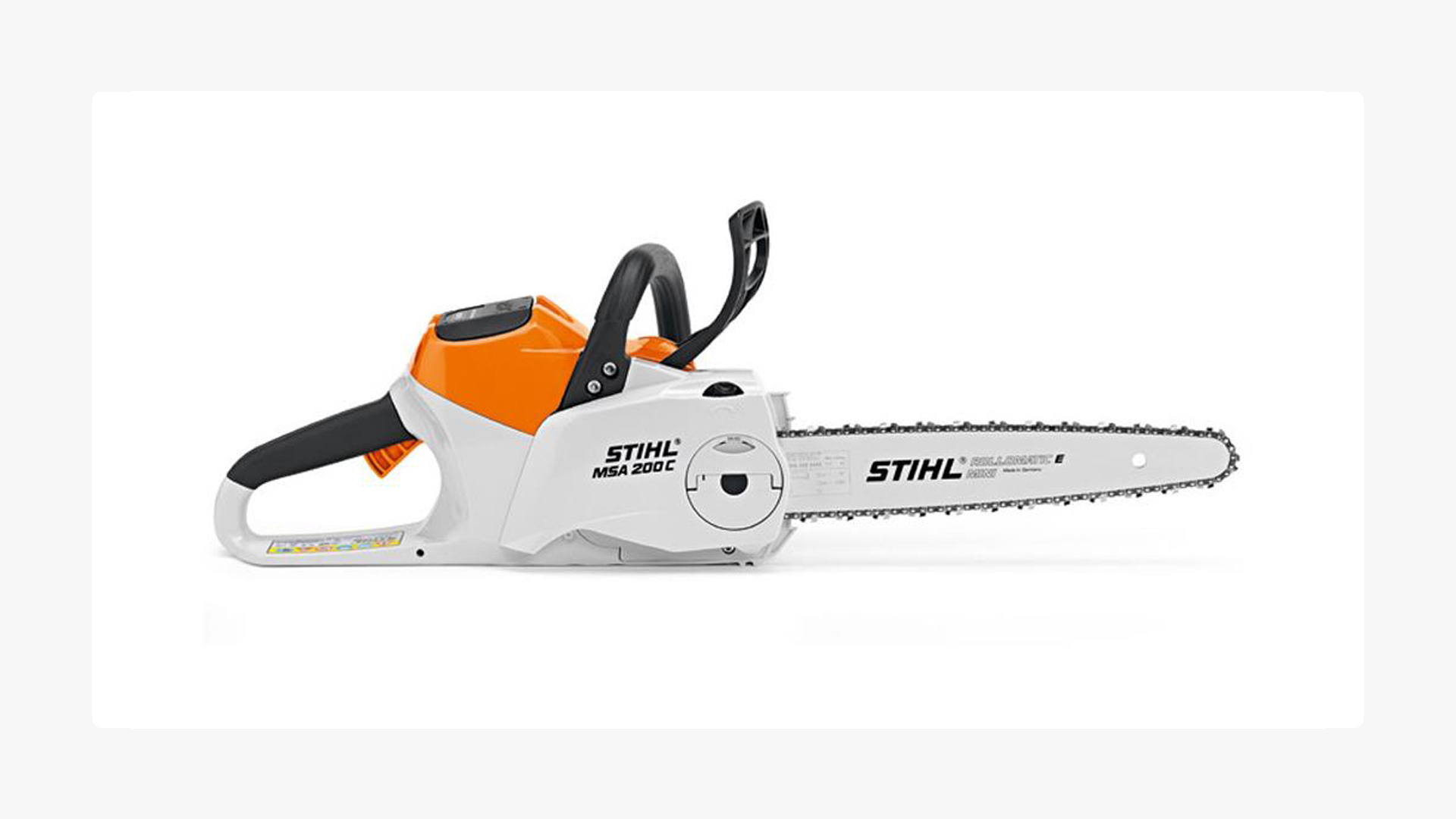
Would you pay the same for a click on your ad if someone searched for “chainsaw” compared to “stihl msa 200 battery chainsaw”?
That second search term, the one that includes the brand and product name, has a conversion rate that’s at least 2 times higher compared to the first one. That means a click on your ad after someone searches for that is a lot more valuable to you, which means you can afford to spend a lot more for that click.
Tiered Shopping doesn’t work well anymore, but you can try to replicate it with two campaigns on the same products: one for generic searches and one for brand searches.
Add your brand name as a negative keyword in the generic campaign. Brand searches can then only reach the brand campaign. Give the brand campaign a strict target, a high ROAS or a low CPA. Give the generic campaign a looser target, so it takes most of the spend.
This works with Standard Shopping or Performance Max, but it’s trickier to get right compared to the old method.
Remarketing is the optional last step of layer 1. Run it through Performance Max rather than as a separate Display campaign, and check dynamic remarketing first. In our audits, dynamic remarketing was switched off or didn’t match the feed in 50 of the 71 accounts we checked, so the ads couldn’t show the products people had actually viewed.

Layer 1 is working when brand search and Shopping both make money at your target. Layer 1 is full when a higher budget raises your CPCs but not your sales.
Should you start with Standard Shopping or Performance Max?
Start with Standard Shopping or a feed-only Performance Max, plus a separate brand search campaign.
Reason for limiting the campaigns to Shopping Ads is twofold:
this ad format works well for ecommerce
you want to get a “pure” feeling about how your products perform
This last one means that you get a good baseline for what’s going on, as well as spot opportunities to improve your product data.
A Performance Max campaign with all assets added can spend in a bunch of different places, making it hard to spot potential problems when starting out.
Performance Max is where we find the most problems per account. In the report, 64 of the 84 accounts running it had at least one pMax issue, most often spend leaking into placements nobody chose, or several campaigns chasing the same products.
Since October 2024, Performance Max no longer wins automatically over Standard Shopping when both can show the same product. Google now picks the ad with the higher ad rank. That’s one more reason to give each product one Shopping campaign, not two.
Layer 2 – Expand
When do you add layer 2? The signal is your Shopping campaign plateauing: a higher budget raises your CPCs, but not your sales. That’s the moment to reach people who search for your category instead of your products.
Before you add anything, check the volume. Each new campaign should be able to reach about 30 conversions a month. Below that, Performance Max and smart bidding don’t have enough data to learn from, and you end up with several half-starved campaigns instead of one that works.
Google recommends at least 15 conversions the last 30 days. I use about 30 as the minimum, the number isn’t that important, what’s important is that you have decent volume passing through the campaigns.
Layer 2 has two campaign types: generic Search and a fully built Performance Max.

Start with Generic Search with exact and phrase match keywords for your categories, so you control which searches you pay for before you introduce broad match.
Dynamic Search Ads used to be a great complement, but this campaign type is on its way out. You can’t create new ones since September 2026, and Google upgrades existing campaigns to AI Max from February 2027.
The jury is still out on AI Max. I don’t see good results yet, but I expect with the forced upgrade mentioned above, this feature will be improving over the next few months. So keep an eye on it and run it as a regular experiment. Check your settings too: if your Search campaigns used broad match or automatically created assets, Google started switching AI Max features on in September 2026.
A full Performance Max adds your images, videos and headlines to the feed. Organise asset groups around the categories on your site, and check that every headline, image and video fits all the products in that asset group. Use your customer list as the audience signal, add negative keywords where the search terms report shows waste, and keep brand exclusions on so brand searches stay in your brand campaign.
Don’t split Performance Max into more campaigns than your conversions can support. If 30 conversions a month per campaign is already a stretch, stay with Standard Shopping.

Layer 3 – Create
At some point, your efforts with the campaigns mentioned above plateau. This can be because of two reasons:
- your ROAS target is as aggressive as you can tolerate
- you’ve captured all demand
Most advertisers are faced with #1. Depending on how good they, or their Google Ads manager is, there might be more efficiency to squeeze from the campaigns.
But at some point, there isn’t any juice left. That’s when you need to think about creating demand.
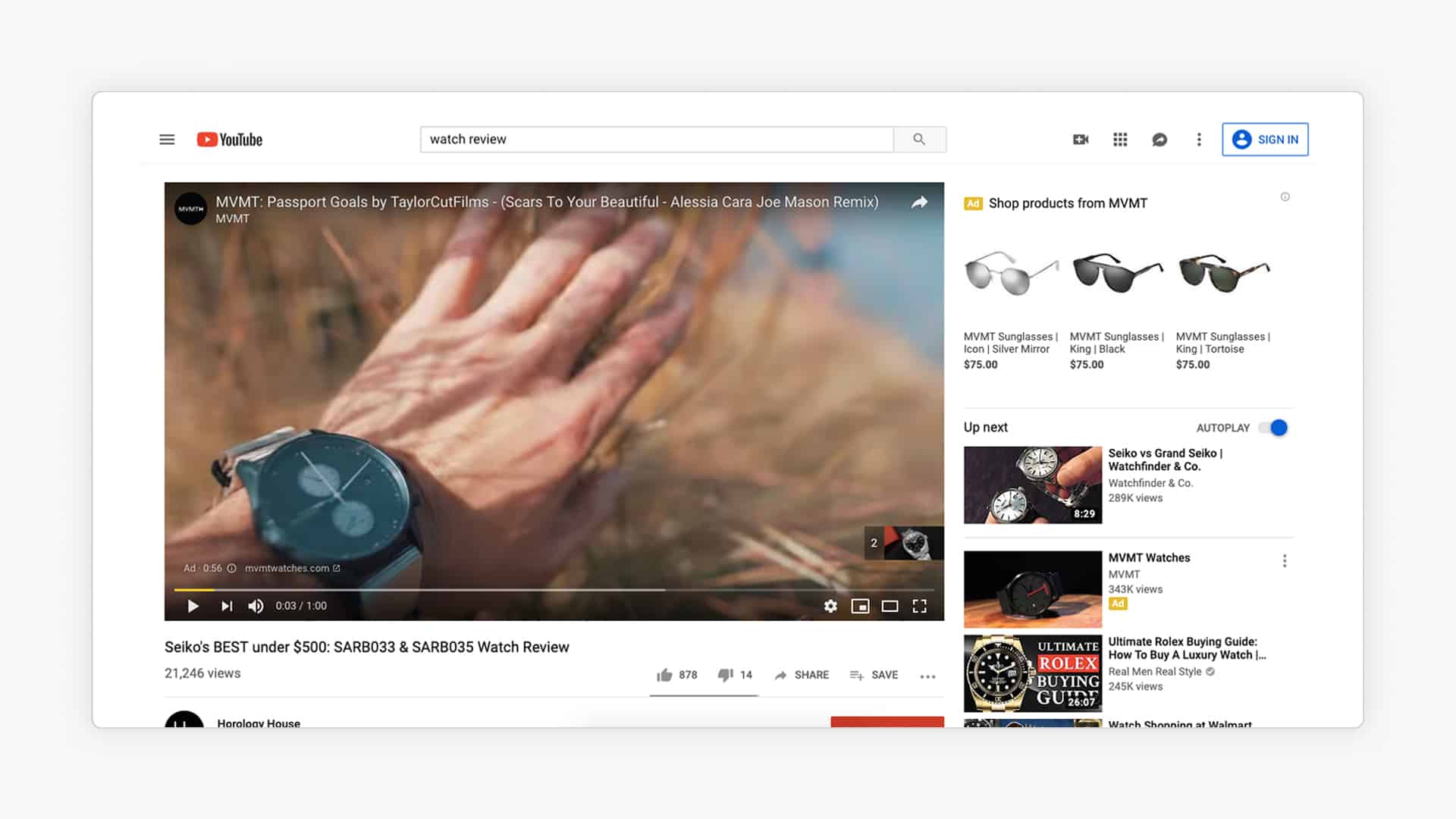
In the Google Ads ecosystem, Demand Gen campaigns take that role. It shows ads across placements like YouTube, Shorts, Gmail, Discover and Display. It’s the hardest layer to run profitably, and for most stores it’s optional.

Note: Google used to have a bunch of different top of the funnel campaign types like YouTube Ads or Display, but these have now all been rolled into Demand Gen campaigns.
The reason it’s hard is where the ads show. When your ad interrupts them, people are watching or browsing, not shopping. So the logic behind these campaigns is that they create a favourable impression, and that people will find their way back to your store at a later point in time.
That makes Demand Gen hard to judge on last-click ROAS, and hard to justify when budgets are tight.
Google’s recommended conversion threshold for Demand Gen campaigns is 50 conversions per 35 days. If we assume those conversions to be purchases, that’s roughly 1.4 conversions per day. Meaning that you need 1.4x CPA as a budget.
This is an expensive gamble. For most stores, creating demand is more cost effective with Meta or TikTok Ads, platforms built around exactly that. When those platforms are capped out, it does make sense to experiment in Demand Gen.
Demand Gen is worth testing when:
- layers 1 and 2 are profitable, and more budget there no longer adds sales
- you have video creative, or the means to make it
- you can fund four to six weeks of learning at around $100 a day
- you’re willing to evaluate on other metrics than the ROAS that’s reported in-platform (MER, MTA, etc.)
If you do test it, start with lookalike audiences built from your Customer Match lists.
Upload segmented lists for better results:
- All customers
- High-value customers (top 20% by revenue)
- Repeat customers
- Lapsed customers (haven’t bought in 6+ months)
When should you add the next layer?
Start with layer 1 once purchases are tracked correctly and brand search has its own campaign.
Add layer 2 when your Shopping campaign plateaus and each new campaign can reach about 30 conversions a month. Not yet if you’re below that volume, or if layer 1 still has products or searches you haven’t pushed.
Add layer 3 only when layers 1 and 2 are profitable and have stopped growing, and you have the video creative and budget to test it properly. For most stores, the better next step at that point is creating demand outside Google.
What Google recommends vs. what actually works
Google’s recommendations help when your conversion data is clean and your targets match your margins. When either is off, they push the account further in the wrong direction. Fix those two first, then judge each recommendation on its own.
| Google recommends | What we do instead | When Google’s way works |
|---|---|---|
| Switch on auto-applied recommendations | Switch them off and review each one yourself | Never, for bidding and budget changes |
| Start with Performance Max | Start with Standard Shopping or a feed-only Performance Max | When a campaign gets about 30 conversions a month |
| Broad match with smart bidding | Phrase and exact match first | 30+ conversions a month, reliable tracking and a clear target |
| Automated bidding on brand search | Manual CPC or a tight bid cap | Rarely; automated bidding tends to inflate CPCs. |
| Push your optimization score to 100% | Ignore the score | Never. The score goes up when you accept suggestions, whether sales do or not |
Auto-applied recommendations
Auto-apply changes your account without asking. In our report, 31 of the 88 accounts we checked for it had auto-apply switched on. In one, it had dropped a 400% ROAS target to 150%, which let Google buy sales below break-even.
Turn off auto-apply for all recommendations. Every single one.
Review recommendations manually. Accept the ones that make sense. Ignore the rest. Your account, your decisions.
Optimization score
Google reps have revenue targets. The optimization score is a metric Google invented to pressure you into accepting changes. A lower score does not mean your account is performing badly. It means you haven’t done what Google wants you to do.
Broad match and smart bidding
Google’s recommended approach for Search campaigns is now broad match keywords + smart bidding (Target CPA or Target ROAS). Their argument: the AI will figure out which queries convert and bid accordingly.
In some mature accounts with lots of conversion data, this can work. I’ve seen it produce good results when all three conditions are met:
- 30+ conversions per month in the campaign
- Accurate conversion tracking (including enhanced conversions)
- A clear understanding of your target CPA or ROAS
Without those three things, broad match will eat your budget on irrelevant searches. Start with phrase and exact match. Graduate to broad match only when your data supports it.
The same goes for AI Max for Search, which also widens the searches you show up for. Test it in an experiment first, as described under layer 2.
AI-generated ads
Google now writes headlines, descriptions and images for you, and since September 2026 it switches some of these features on by default in campaigns that already use automatically created assets.
You can use them as a starting point, if you’re short on time. But spending time outside of the Google platform to brainstorm and come up with better ad text is very much worth it. (Especially if you’re using an LLM as your sparring partner).
How much should you spend, and which bidding strategy should you use?
Spend enough for each campaign to get at least one conversion a day at your target cost per sale. If your break-even cost per sale is €40, that’s at least €40 a day per campaign. Below that, smart bidding doesn’t get enough data to learn from, and you’re better off with fewer campaigns.
What does this look like for a real store?
Here’s the full path for an example store: margin to break-even ROAS, then budget, then which layer the budget goes to. The store is made up, but its numbers are typical of the stores we work with.
The store sells home goods. Average order value is $80, and its gross margin on products is 50%.
Step 1: Find the margin that’s actually left. Shipping, payment fees and returns take another 10% of revenue. That leaves a contribution margin of 40%.
Step 2: Turn it into a break-even ROAS. Break-even ROAS is 1 ÷ 0.40 = 2.5. Below a ROAS of 250%, every sale loses money on the ad. Fixed costs and profit still have to come out of the margin, so this store aims for a ROAS of about 300% to 350%.
Step 3: Set the budget. The store spends $15,000 a month. At a ROAS of 3.5, that’s about $52,500 in revenue and roughly 650 orders a month.
Step 4: Fill the layers in order. Brand search and Shopping come first. Generic Search only gets budget once Shopping has plateaued, meaning more budget raises CPCs without adding sales. A $3,000 Search campaign at a ROAS of 3 brings about 110 orders a month, which clears the roughly 30 conversions each new campaign needs
| Campaign | Layer | Monthly budget | Share |
|---|---|---|---|
| Brand search | 1 – Capture | $1,000 | ~7% |
| Standard Shopping or feed-only pMax | 1 – Capture | $11,000 | ~73% |
| Generic Search | 2 – Expand | $3,000 | ~20% |
| Demand Gen | 3 – Create | $0 | 0% |
As a rough rule, about 70–80% of the budget sits in layer 1 and 20–30% in layer 2. Layer 3 gets nothing until layers 1 and 2 stop adding sales. At $15,000 a month, a proper Demand Gen test ($100 a day for 4–6 weeks) would take about 20% of the budget. For most stores that money does more on Meta or TikTok.
Your bidding strategy depends on how many conversions a campaign already gets:
| Conversions per campaign | Bidding strategy |
|---|---|
| None yet | Manual CPC, or Maximize Clicks with a maximum CPC |
| About 10–15 a month | Maximize Conversion Value, no target |
| About 30 a month or more | Maximize Conversion Value with a target ROAS |
That’s what went wrong for the store in the intro. Its campaigns ran on Maximize Clicks with nothing to steer them toward sales, so Google bought the cheapest clicks it could find. Use Maximize Clicks only to get the first 10 to 15 conversions, then switch.
Set your first ROAS target from your margin. Break-even ROAS is 1 divided by your margin, so a 40% margin means 250%. Then change the target in steps of about 20% and give each change two weeks before you judge it. Daily tweaks reset the learning and make results harder to read.
Why does ROAS drop when you increase the budget?
When ROAS drops as you scale, check your product segmentation and your ROAS target before you blame diminishing returns.
Some of the drop is normal. More budget buys clicks that are a little less likely to convert, so expect a small dip. A sharp drop, or one that keeps getting worse, usually points to something in the account.

In our 2026 audit report, the most common issue was missing product segmentation. 51 of the 122 accounts had none, so bestsellers and slow movers shared one campaign and one target. When budget goes up in an account like that, Google spends the extra wherever it finds clicks, which may not be your best products. One store told us its ROAS dropped every time it scaled. It ran one Performance Max campaign per country, with every product in it.
Another store said it had run out of keywords. Its target ROAS was set far above what the business needed, so Google couldn’t spend more without breaking it.
Spreading the budget too thin has a similar effect. 29 of the 122 accounts ran more campaigns, countries or asset groups than their conversions could support, so none of them got enough data to learn.
Once those are fixed, fill the layer you’re in before you add the next one: put more products and more budget behind what already works. When a higher budget raises your CPCs but not your sales, the layer is full. Then it’s time to add the next layer.

What are the most common Google Ads mistakes in ecommerce accounts?
These are the five problems we found most often in our 2026 Ecommerce Google Ads Audit Report. Most of them sit in the basics, not in campaign choice.
| Mistake | Accounts (of 122) | What it does |
|---|---|---|
| Conversion tracking issues | 66 | Google optimises on wrong or missing data |
| No product segmentation | 51 | Bestsellers and dead weight share one budget and one target |
| Bidding targets with no link to the business | 38 | Caps volume or wastes budget |
| Brand searches inside non-brand campaigns | 36 | Makes weak campaigns look profitable |
| Page views or add to carts counted as purchases | 27 | Google optimises for visitors who don’t buy |
These numbers come from the Store Growers Ecommerce Google Ads Audit Report 2026, where we analyzed 122 account audits. The full report has all findings, what advertisers thought was wrong compared with what we found, and how we collected the data.
Should you run Google Ads yourself, or hire a freelancer or an agency?
Run Google Ads yourself while you’re in layer 1 and spend less than about $2,000 a month. At that level, a freelancer’s fee eats most of what they could save you, and layer 1 is simple enough to learn. Get help when the account grows past what you can check every week, or when results stall and you can’t tell why. Here’s how to decide between keeping it in-house or hiring.
A freelancer suits stores that want one person who knows the account well. Ask who does the work if they get busy, and whether they’ve worked with stores your size. An agency suits stores that need more hands, for example for feed work, creative, or run multiple advertising channels. Make sure you ask who will actually run your account day to day, because it’s often not the person who sold it to you. We compare both options in Google Ads freelancer or agency.
Whoever you hire, keep the account in your own name, with admin access. Ask for reporting on revenue and profit, not only ROAS, and for a log of what changed in the account.
Store Growers reviews and manages Google Ads for ecommerce stores spending roughly $10–50K a month. The first step is a free account review. Tell us what you think is wrong and give us read-only access, and we’ll show you where the account loses money. We’re not a fit for stores just getting started (begin with layer 1 yourself) or for non-ecommerce businesses.
Frequently asked questions
Should I start with Standard Shopping or Performance Max?
Pick one for layer 1, and never run both on the same products. Standard Shopping fits when you get fewer than about 30 conversions a month or want to see your search terms. A feed-only Performance Max fits when you have that volume and conversion values you trust.
If you’re not sure, start with Standard Shopping. Switching to Performance Max later is easy. Getting the search-term data back once you’ve lost it isn’t.
How much should an ecommerce store spend on Google Ads?
Enough for each campaign to get at least one conversion a day at your target cost per sale. If your break-even cost per sale is €40, plan for at least €40 a day per campaign, and run fewer campaigns if your budget can’t cover that.
What ROAS should I target?
Start from your break-even ROAS: 1 divided by your margin. A 40% margin means a break-even ROAS of 250%, so your target sits at or above that, depending on how much a new customer is worth to you later.
How long does it take for Google Ads to work for a new store?
Expect about a month before you can judge a campaign, and two to three months before smart bidding settles. If you judge it earlier, you’re judging the learning period.
When should I add YouTube or Demand Gen?
Only when your Shopping and Search campaigns are profitable and more budget there no longer adds sales. Even then, Demand Gen is optional: for most stores, money for creating demand does more on Meta or TikTok.
Should I hire a freelancer or an agency?
Run it yourself while you’re in layer 1 and spending less than about $2,000 a month. After that, a freelancer suits stores that want one person who knows the account, and an agency suits stores that need more hands, for example for feed work and creative.
What are the most common Google Ads mistakes in ecommerce?
In our 2026 audit report of 122 accounts, the most common were conversion tracking issues (66 accounts), no product segmentation (51), bidding targets with no link to the business (38) and brand searches inside non-brand campaigns (36). The full list is in the report.
One thing I can’t tell you yet is how long campaign types will matter. Display just moved into Demand Gen, and Dynamic Search Ads are turning into AI Max.
If Google ends up running one campaign for everything, will you still get to decide which products deserve the budget? I’m watching how AI Max and AI Mode handle that over the next year, and I don’t know the answer yet.